
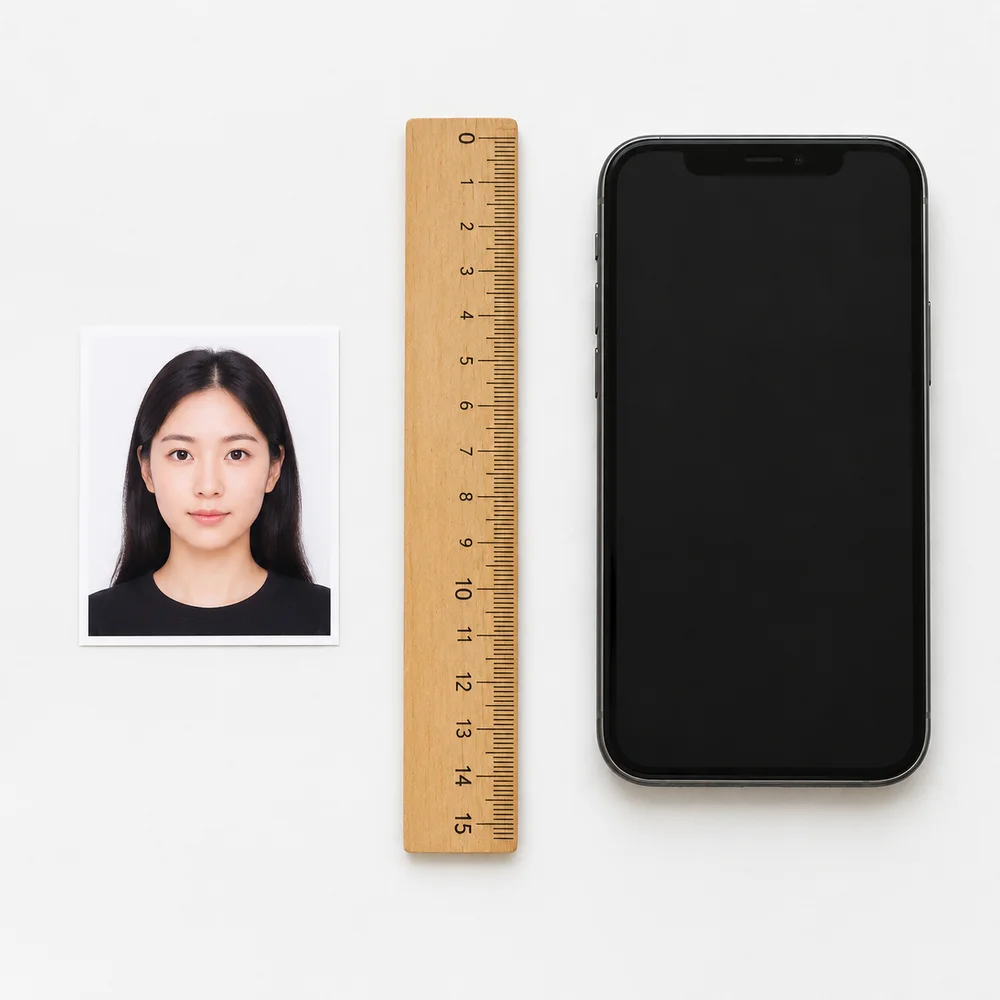
Getting a passport photo rejected delays your whole application. This guide covers every official US passport photo requirement for 2026 so you can get it right the first time — then make a compliant photo online from a selfie, preview free, and unlock a print-ready file.
Primary sources: the U.S. Department of State Passport Photos page and the digital photo upload instructions for online renewal. For background context on biometric ID photo standards, see Passport photograph (Wikipedia).
Quick Checklist
Use this table as a final check before you submit:
| Requirement | Rule |
|---|---|
| Photo size | 2×2 inches (51×51 mm) — square |
| Head size | Chin to top of head: 1–1⅜ in (25–35 mm) |
| Background | Plain white or off-white, no shadows or patterns |
| Color | Full color — black and white is not accepted |
| Recency | Taken within the last 6 months |
| Expression | Neutral or natural smile; both eyes open |
| Glasses | Not allowed (rare medical exceptions with signed note) |
| Head covering | Not allowed unless for documented religious reasons |
| Lighting | Even, no shadows on face or background |
| Editing | No filters, retouching, or AI manipulation |
| Digital format | JPEG preferred (portal also lists PNG / HEIC / HEIF); 600–1200 px, 54 KB–10 MB |
Always verify against the instructions on your specific form (DS-11 for new passports, DS-82 for renewals, or the online renewal portal), as details can change. When in doubt, follow the live travel.state.gov photo rules.
Correct vs. Incorrect Examples
The 7 most common failure points — swipe through each one to see what's accepted and what gets rejected:
Photo rules
1/7
Correct vs. Incorrect


1/7 Image format
Photo must be in color and taken within the last 6 months. Black & white, sepia, or filtered photos are rejected.
Official Size Requirements
The US Department of State requires a 2×2 inch (51×51 mm) square photo. This applies to:
- New passport applications (DS-11)
- Passport renewals (DS-82, paper)
- Online passport renewals
- Most US non-immigrant and immigrant visa applications
Head size and positioning
Within that 2×2 frame, your head must take up the right proportion:
- Head height (chin to top of head, not hat): 1 inch to 1⅜ inches (25–35 mm)
- Head centered horizontally and vertically
- Face occupies roughly 70–80% of the frame height
- No tilting, no "selfie angle" — straight-on, camera at eye level
A head that is too small (face dwarfed by empty space) or too large (forehead cut off) will be rejected.
Digital dimensions (for online upload)
If you are uploading a photo for the online passport renewal system (see the State Department’s upload a digital photo guide):
| Spec | Requirement |
|---|---|
| Format | JPEG / JPG preferred (also PNG, HEIC, HEIF) |
| Dimensions | 600×600 px minimum — 1200×1200 px maximum |
| File size | 54 KB minimum — 10 MB maximum |
| Color space | sRGB |
| Bit depth | 8-bit |
Do not scan a printed passport photo and upload the scan — the system requires an original digital image.
Background Requirements
The background must be plain white or off-white with no distractions:
- No patterns, textures, or gradients
- No shadows cast behind you or on the background
- No objects, furniture, or other people in frame
- No outdoor scenery (trees, sky, fences)
- No colored or grey studio-style backgrounds
Off-white (very light cream) is generally acceptable. A pure white wall is ideal. See the full passport photo background guide for DIY setup tips.
Common background rejections:
- Shadow from overhead light falling behind you
- Grey photo studio gradient (looks uneven when printed)
- Brick wall, bookcase, or door showing through
- Seatbelt strap visible across the shoulder
Expression and Pose Rules
Expression
- Neutral expression — relaxed, no tension around eyes or mouth
- Natural, closed-mouth smile is also acceptable
- Mouth closed (or very slightly open in a relaxed smile)
- Both eyes fully open and clearly visible
- Do not squint or raise your eyebrows
Pose
- Face the camera directly — straight ahead, no three-quarter angle
- Head straight, not tilted left, right, up, or down
- Shoulders facing forward
- Camera must be at eye level — not from above (selfie angle) or below
What You Cannot Wear
Glasses — not allowed
Since 2016, the US Department of State generally does not accept glasses in passport photos. Even clear, non-tinted glasses create glare and shadow that automated systems flag as non-compliant. The only exception is a signed physician's statement certifying the glasses cannot be removed for medical reasons.
Remove prescription glasses, reading glasses, and sunglasses before taking the photo.
Hats and head coverings — not allowed
Hats, baseball caps, and head coverings are not permitted unless worn daily for established religious practices. If you wear a religious head covering:
- It must not obscure any part of your face
- A signed statement explaining the religious basis is typically required
- The face from hairline (or head covering edge) to chin must be fully visible
Do not wear headphones, earbuds, or Bluetooth devices.
Uniforms and camouflage — not allowed
Do not wear:
- Military, police, or other official uniforms
- Camouflage clothing of any color pattern
Everyday civilian clothing is required.
Lighting and Photo Quality
Lighting is one of the most common rejection triggers. Requirements:
- Even, flat lighting — no shadows on one side of the face
- No shadows on the background
- No harsh backlighting that creates a "halo" around the head
- No red-eye
- No glare on skin from flash
Best DIY setup: Stand 0.5–1 m in front of a white wall. Place two soft light sources (lamps or windows) in front of you, one on each side at roughly eye level. Avoid overhead-only lighting.
Sharpness and image quality
- Must be a clear, high-resolution photograph
- No motion blur, no grain, no pixelation
- No Instagram, Snapchat, or other filters applied
- No digital retouching — skin smoothing, blemish removal, and teeth whitening are all prohibited
- Do not use AI-generated or AI-edited photos
- Turn off Portrait Mode on iPhone and Android — the artificial background blur and skin smoothing frequently cause rejections
Color requirements
- Must be a full-color photograph
- Black and white photos are not accepted
- Sepia-tone or any artistic color treatment is not accepted
- The image format and recency (color photo, taken within last 6 months) must be obvious
Passport Photo Requirements for Babies and Infants
Babies and infants must have their own passport — and yes, they need their own photo too. The State Department allows some practical flexibility:
| Rule | Adult | Baby / Infant |
|---|---|---|
| Eyes open | Required | Preferred; leniency for newborns |
| Facing camera | Required | Required |
| No support | N/A | No hands, arms, car seats visible |
| No props | Implied | No pacifiers, toys, or blankets in frame |
| Background | White/off-white | Same |
How to take a passport photo for a baby
Method 1 — White sheet on floor (recommended)
- Lay a plain white or off-white sheet on the floor with no wrinkles.
- Place the baby on their back on the sheet.
- Stand directly above, pointing the camera straight down.
- Make sure only the baby's face and a plain white background are visible.
- No arms supporting the head should be in frame.
Method 2 — Car seat with white sheet
- Cover the car seat entirely with a plain white sheet so the seat and straps are completely hidden.
- Place the baby in the covered seat.
- Make sure no strap or colored edge shows across the chest or shoulders.
- Photograph from the front at baby's eye level.
For a full step-by-step guide with more tips: Passport photo requirements for babies and infants.
Common Reasons Passport Photos Get Rejected
Knowing what gets photos rejected is just as important as knowing what's required. These are the most frequent rejection causes:
| Rejection reason | How to avoid it |
|---|---|
| Glasses on | Remove all eyewear before taking the photo |
| Shadow on face or background | Use two light sources from the front; stand away from the wall |
| Head too small / too large | Check: head should fill 70–80% of the frame vertically |
| Background not white / not plain | Use a blank white wall; avoid textured or colored surfaces |
| Portrait Mode blur / skin smoothing | Turn off Portrait Mode; disable "enhance" settings |
| Photo older than 6 months | Take a fresh photo even if your appearance hasn't changed |
| Head tilted or not facing camera | Photograph straight on; use a tripod or prop the phone |
| Uploaded a scan of a printed photo | Use the original digital file, not a scanned copy |
| AI-generated or heavily edited image | Use a real photo with no AI manipulation |
| Color filter applied | Use your camera's default mode with no filters |
| Clothing resembling a uniform | Wear everyday civilian clothes |
How to Take a Compliant Passport Photo at Home
You don't need a studio. Follow these steps with any smartphone:
Step 1 — Set up your space Find a plain white or off-white wall. Clear anything visible in the background (posters, shelves, furniture edges). Stand 0.5–1 m from the wall to minimize background shadow.
Step 2 — Set up lighting Place two light sources (desk lamps, ring light, or windows) in front of you — one on each side at roughly eye level. Avoid overhead lighting only, and avoid standing with a window behind you.
Step 3 — Camera settings
- Turn off Portrait Mode
- Turn off any beauty, smooth, or HDR modes
- Use the rear camera (higher resolution than front camera)
- Have someone else take the photo so you're not holding the phone
Step 4 — Pose and expression
- Stand straight, camera at eye level
- Look directly at the lens
- Neutral expression or relaxed closed-mouth smile
- Both eyes open, mouth closed or very slightly open
- No glasses, hats, or head coverings (unless religious)
Step 5 — Upload and crop Upload to Just ID Photo, select US Passport (2×2), and get a free watermarked preview before you pay. The tool handles the exact crop and white-background processing.
Digital Passport Photo Requirements for Online Renewal
The US online passport renewal system has specific digital photo requirements that differ slightly from paper applications:
- Format: JPEG preferred (portal also accepts PNG, HEIC, HEIF)
- Resolution: 600×600 px minimum, 1200×1200 px maximum
- File size: 54 KB minimum, 10 MB maximum
- Photo type: Original digital photo — not a scan of a print
- No edits: No cropping by AI, no background replacement visible as a seam
For a full breakdown: Digital passport photo requirements.
Frequently Asked Questions
Can I wear glasses in my passport photo?
No. Since 2016, the US Department of State does not accept glasses in passport photos for most applicants. The only exception is a rare medical case supported by a signed physician's statement. Remove all eyewear — including prescription glasses, reading glasses, and clear lenses.
What background color is required for a US passport photo?
Plain white or off-white. No grey, no blue, no patterns, and no shadows on the background. A pure white wall or a plain off-white wall both work.
How recent does a passport photo need to be?
The photo must have been taken within the last 6 months. Even if your appearance hasn't changed, a photo older than 6 months will be rejected.
Can I smile in my passport photo?
Yes, but only a natural, relaxed, closed-mouth smile (or slightly open in a very natural expression). Avoid broad smiles that partially close the eyes.
Can I take a passport photo with my iPhone or Android?
Yes. Use the rear camera, turn off Portrait Mode, disable all beauty or smooth filters, and have someone else take the photo. The main rejection risks are Portrait Mode blur, skin smoothing, and busy backgrounds.
Can I use an AI-generated or AI-edited photo?
No. AI-generated faces and AI-edited photos (background replacement, skin retouching, etc.) are not accepted. Submit an authentic, unedited original photograph.
What is the correct passport photo size in pixels?
For digital upload (online renewal): 600×600 px to 1200×1200 px as a square JPEG. For print applications, the physical size is 2×2 inches at 300 DPI, which equals 600×600 px minimum.
How many passport photos do I need?
- New passport (DS-11): 1 photo submitted with the application
- Renewal by mail (DS-82): 1 photo
- Online renewal: 1 digital upload
- Child passport: 1 photo per child
- Some visa applications may require 2 photos — check your specific form.
Can babies have their eyes closed in passport photos?
The State Department prefers eyes open and looking at the camera, but does allow leniency for very young infants who cannot hold a pose. Newborns in particular may be accepted with partially closed eyes. Older babies (3+ months) should have both eyes clearly open.
Why do passport photos get rejected?
The most common reasons: glasses, shadows (face or background), Portrait Mode softening, head too small or too large, background not plain white, photo older than 6 months, or uploading a scanned copy of a print.
How long are passport photos valid?
A passport photo must reflect your current appearance and be taken within the last 6 months. There is no separate "expiry" for the photo beyond the 6-month recency rule.
Can I wear a hat in my passport photo?
No, unless you wear the hat or head covering daily as part of an established religious practice. Even then, it must not obscure any part of your face, and a signed statement may be required.
Related Guides
- US passport photo size (2×2 inches)
- Passport photo background requirements
- Passport photo requirements for babies & infants
- Digital passport photo requirements (online renewal)
- Passport & ID photo sizes chart (mm)
- UK passport photo size (35×45)
- How to print passport photos at home on 4×6
- Print at CVS · Walgreens · Walmart
- Make ID Photo · Photo Sheet Maker