
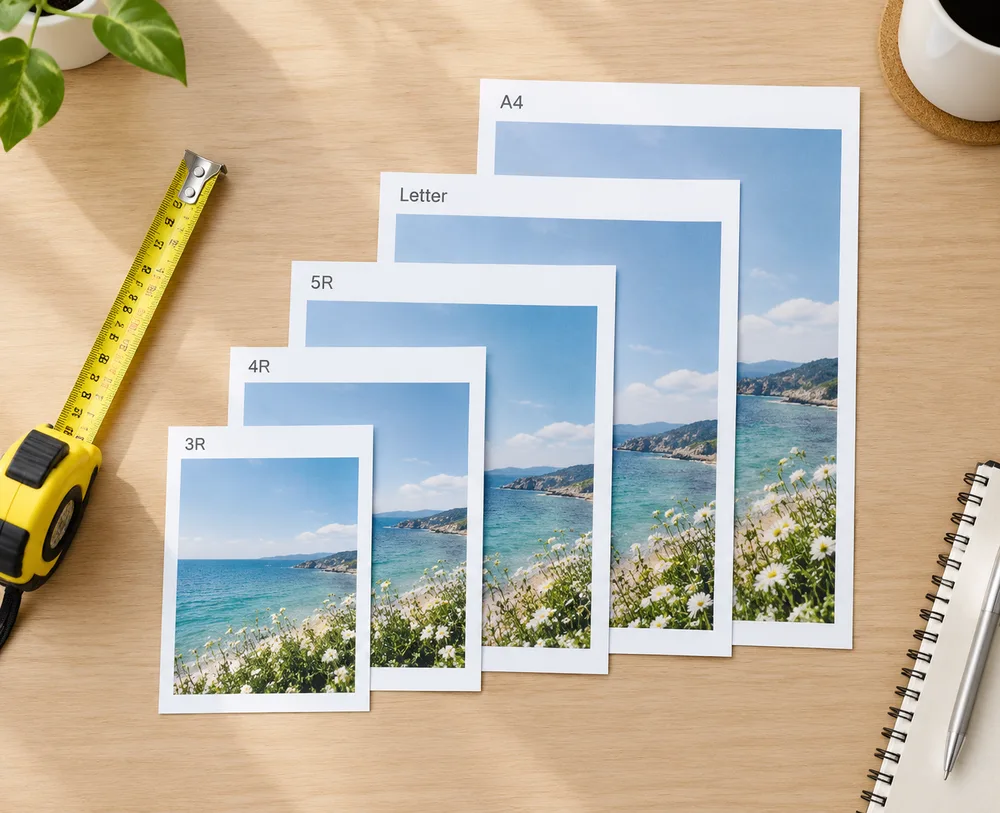
Printing multiple ID photos on one sheet only works if the paper size in the layout matches the paper in the printer. Drugstore kiosks, home printers, and photo labs use different naming systems. This guide explains what 3R, 4R, 5R, US Letter, and A4 mean — and how to pick them in our free Photo Sheet Maker.
Quick answer
| If you print at… | Choose this paper in the sheet maker |
|---|---|
| Most US / drugstore photo kiosks | 6 Inch (4R) — 15.2 × 10.2 cm |
| Smaller wallet / 5″ prints | 5 Inch (3R) — 12.7 × 8.9 cm |
| Home inkjet on US letter stock | Letter — 21.59 × 27.94 cm |
| Home inkjet on metric paper | A4 — 21 × 29.7 cm (or A5 / A6) |
| Canon 4×6 photo paper packs | Canon 4×6 Photo Paper — 13.35 × 8.9 cm |
Always print at 100% / actual size and turn off “fit to page” or auto-crop.
Need a compliant passport photo first? Start on the homepage maker, then lay out copies with the Photo Sheet Maker.
What “R” sizes mean (3R, 4R, 5R…)
The R series comes from traditional photo-lab paper. The number roughly tracks inches on the short side, but labs publish exact centimeters. Our tool uses the same numbers as common layout tools (including sandphoto-style specs):
| Name | Also called | Size (cm) | Size (in, approx.) | Typical use |
|---|---|---|---|---|
| 5 Inch (3R) | 3R | 12.7 × 8.9 | ~5 × 3.5 | Small prints, wallets |
| 6 Inch (4R) | 4R, “4×6” | 15.2 × 10.2 | ~6 × 4 | Default drugstore sheet |
| 7 Inch (5R) | 5R, “5×7” | 17.8 × 12.7 | ~7 × 5 | Larger portrait sheets |
| 8 Inch (6R) | 6R | 20.3 × 15.2 | ~8 × 6 | Bigger lab sheets |
| 10 Inch (8R) | 8R | 25.4 × 20.3 | ~10 × 8 | Large photo paper |
| 12 Inch | — | 25.4 × 30.48 | ~10 × 12 | Oversized sheets |
Tip: When a kiosk says “4×6”, pick 6 Inch (4R) in the sheet maker — not a random “close enough” size. A few millimeters off will make ID photos print too large or too small.
Office / ISO sizes (A3–A6, B3–B5)
These are standard office papers, useful if you print at home:
| Name | Size (cm) | Notes |
|---|---|---|
| A6 | 10.5 × 14.8 | Postcard-ish; fewer copies |
| A5 | 14.8 × 21 | Half of A4 |
| A4 | 21 × 29.7 | Common home/office printer |
| A3 | 29.7 × 42 | Large; many photos per sheet |
| B5 | 17.6 × 25 | Between A5 and A4 |
| B4 | 25 × 35.3 | Large |
| B3 | 50 × 70.7 | Very large / specialty |
Letter, postcard & specialty stocks
| Name | Size (cm) | Notes |
|---|---|---|
| Letter | 21.59 × 27.94 | US letter (8.5×11 in) |
| Postcard | 14.8 × 10 | Generic postcard stock |
| Hagaki | 10 × 14.8 | Japanese postcard |
| Canon 4×6 Photo Paper | 13.35 × 8.9 | Matches many Canon 4×6 packs (slightly smaller than full 4R) |
If your pack is branded “Canon 4×6”, prefer the Canon 4×6 option over generic 4R so margins stay correct.
How to print ID photos the right way
-
Create or upload a ready ID photo
- From a selfie: use Just ID Photo (preview free, then unlock).
- Already have a cropped passport photo: go straight to Photo Sheet Maker.
-
Choose ID size + paper size
Match the paper to the physical stock you will buy (4R for most kiosks). -
Set a small gap + cut-line color
A few millimeters of gap and a blue border make scissors easier — same idea as classic sheet layout tools. -
Download JPEG at 300 DPI and print at 100%
Disable fit-to-page. See pricing if you still need to unlock a clean passport photo.
FAQ
Is 4×6 the same as 4R?
In kiosk language, yes — “4×6” usually means 6 Inch (4R) paper (~15.2 × 10.2 cm). Always confirm the cm size if a brand is unusual (for example Canon packs).
Letter vs A4 — which should I use?
Use Letter for US letter paper and A4 for metric A4. They are close but not identical; mixing them shifts how many photos fit and how large each photo prints.
Can I put UK 35×45 photos on 4R paper?
Yes. Pick UK / EU Passport (35×45 mm) as the photo size and 6 Inch (4R) as the paper. The sheet maker keeps the photo upright and only rotates the paper if that fits more copies.